
Is it safe to connect your LinkedIn to 2pr.io?
November 25, 2026
TL;DR
Connecting a LinkedIn profile to 2pr.io does not put it at risk of a ban. 2pr.io runs only on LinkedIn's official API, which LinkedIn grants after reviewing the app. You sign in through LinkedIn's own window, so we never see your password, and there is no browser extension acting inside your session. Nothing is posted without your approval, we deliberately don't automate DMs, connection requests or comments, and you can revoke access yourself in one click in LinkedIn's settings.
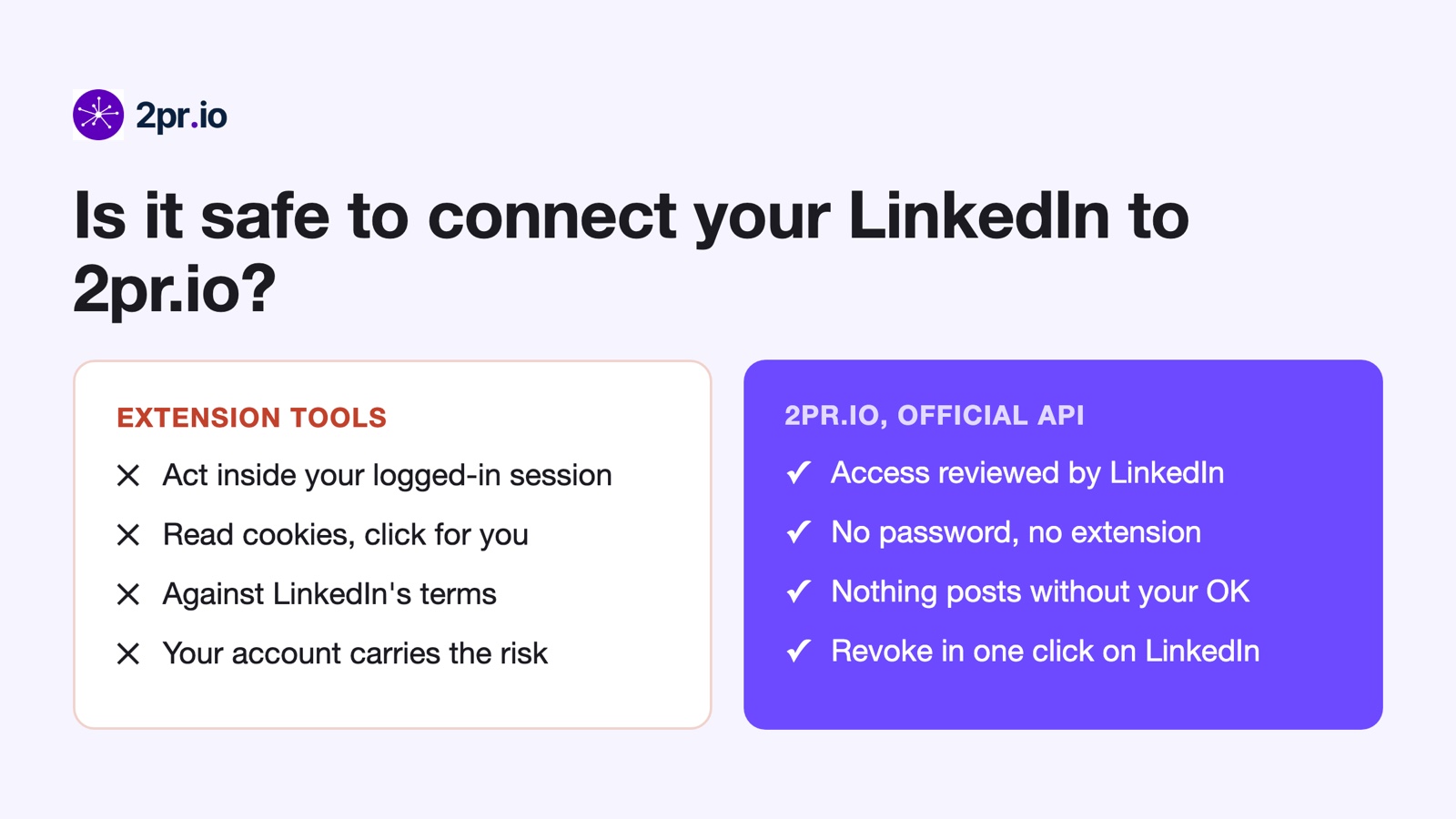
Short answer: yes, connecting your LinkedIn profile to 2pr.io is safe. 2pr.io works only through LinkedIn's official API, the access LinkedIn itself grants to apps after reviewing them. There is no password to hand over, no browser extension, and nothing goes live on your profile until you approve it.
This is the question I get most often in DMs, usually phrased as "will this get my account banned?" Sometimes it is not even the user asking: it is their manager, or the company's security team, who says "we don't connect profiles to anything." That caution makes sense. Some LinkedIn tools really do put accounts at risk. The difference is in how a tool connects, and you can check that yourself in about a minute.
Why some LinkedIn tools get accounts banned
The tools that get accounts restricted share one design choice: they act as you, inside your browser. A browser extension, or a "cloud" tool that asks for your login cookie, sits in your logged-in session and clicks, scrapes, sends DMs and connection requests just as you would. To LinkedIn, that looks like unauthorized automation, and it breaks LinkedIn's terms. The vendor gets the growth, and your account carries the risk.
I've written a longer breakdown of why LinkedIn browser extensions put your account at risk. The short version: if a tool needs to borrow your session to work, it is not safe enough for a profile you care about.
How 2pr.io connects instead
2pr.io doesn't touch your session at all. It uses the API LinkedIn built for exactly this: apps that help people and companies publish and manage content.
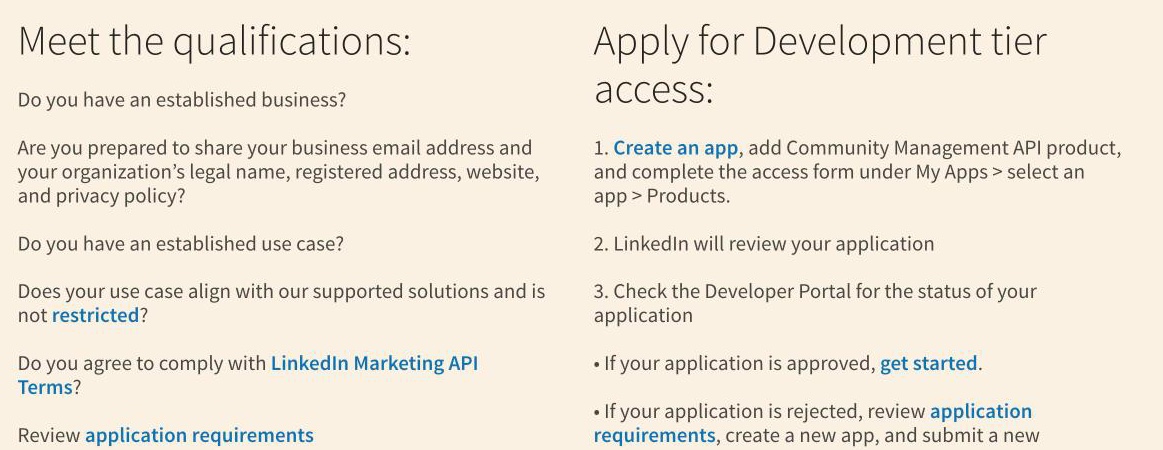
Official access, reviewed by LinkedIn. 2pr.io is approved for LinkedIn's Community Management API, the one that covers publishing, comments and analytics. It isn't open to anyone. To get it, an app has to show LinkedIn an established business, a legitimate use case and its legal details, and then LinkedIn reviews the application by hand.
No password. You connect through LinkedIn's own sign-in window, the same way "Sign in with Google" works. LinkedIn shows you the list of permissions and you approve them. We never see or store your password. We get a token from LinkedIn that covers only the permissions you approved.
No extension, no cookies. Nothing gets installed in your browser, and nothing runs inside your LinkedIn session.
Nothing without a human. A post, comment or reply goes out only after you or your team approve it, either right away or at the time you scheduled. 2pr.io helps you write, plan and reply faster. It doesn't publish on its own.
What we deliberately don't do
There are features people ask for that we won't build, because there is no safe way to do them:
- No DMs. LinkedIn's API has no messaging permission, so 2pr.io can't read or send your messages. That isn't a setting: the access doesn't exist.
- No connection requests and no connection lists.
- No auto-generated comments under other people's posts. LinkedIn has said publicly that automated commenting is what it acts on, so the comment box stays yours.
- No feed scraping from your account.
That is the whole positioning: help with everything that can be done safely, and stop there. Tools that promise DM automation can only do it by acting as you in the browser, which is exactly the risk this article is about.
Check it yourself: your LinkedIn settings show exactly what we can do
You don't have to take my word for any of this. LinkedIn lists every app connected to your account, along with the exact permissions you granted, under Settings → Data privacy → Permitted services (direct link).
Here is the 2pr.io entry on my own account:
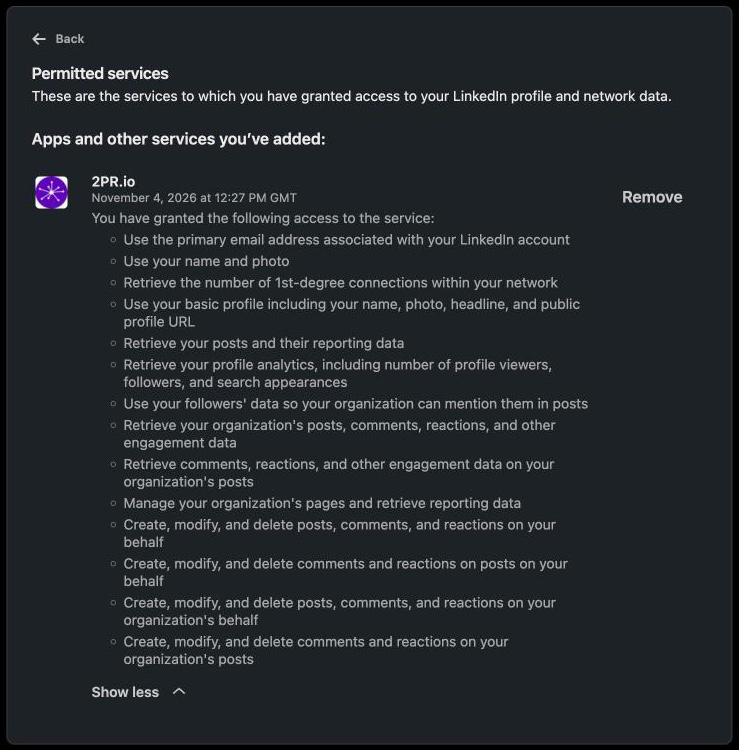
Two things to notice. First, the list covers reading your posts and their analytics, managing company pages you admin, and creating posts, comments and reactions. Nothing there gives access to messages or lets anyone send connection requests. Second, there is a Remove button. You can cut off 2pr.io's access at any time, from LinkedIn's side, without asking us.
Why 2pr.io asks for so many permissions
The permission list is long on purpose. It comes down to one decision: unified authentication.
2pr.io is one platform covering posting, scheduling, replies to comments, analytics, company pages and Wrapped. We could ask for a small set of permissions first and then send you back to LinkedIn every time you open a feature that needs one more. Many apps work that way, and it's where most connection problems come from: half-connected accounts, features that fail silently because a permission is missing, and people unsure which of several connections they approved.
So we ask once, for everything the product can use, through a single LinkedIn window. One connection, one token, one place to revoke it. That means far fewer bugs on our side and far less confusion on yours.
A permission only sets the limit of what the app can do. It isn't something the app does on its own. Having the permission to create posts doesn't mean anything gets posted: every post, comment and reply still waits for your approval. And the list has the same hard limits as before: nothing for messages, nothing for connection requests.
Does posting through a third-party tool hurt your reach?
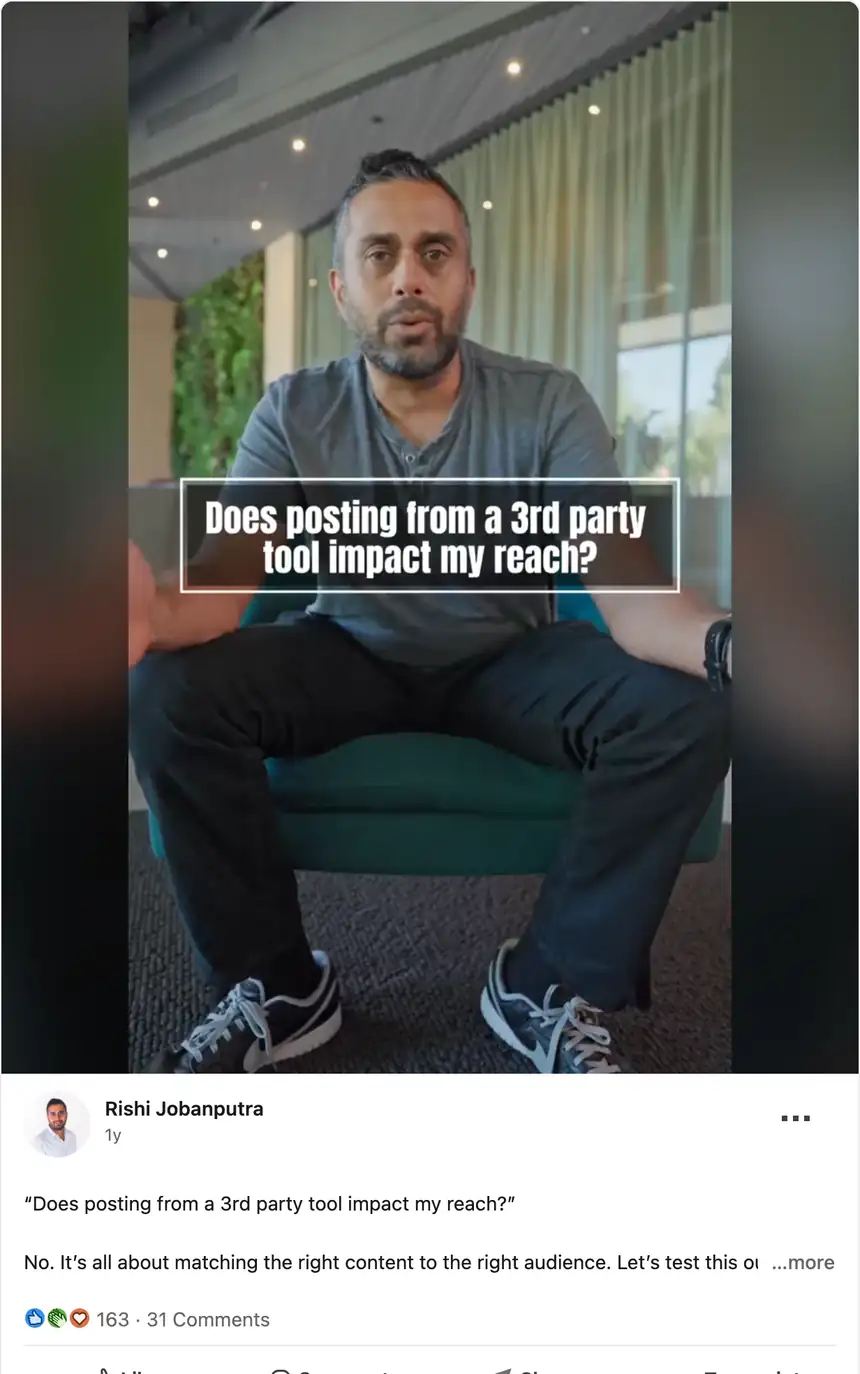
No. LinkedIn has answered this one on the record. Rishi Jobanputra, Sr. Director of Product Management at LinkedIn, was asked whether posting from a third-party tool affects reach. His answer: "No." He published that post from a third-party tool to make the point.
More of what LinkedIn has said about how the feed works, with sources: the LinkedIn algorithm, according to LinkedIn. Scheduling doesn't cost you reach either, as covered in do scheduled posts hurt your LinkedIn reach.
How to convince a cautious manager or security team
If you're the one who wants to use 2pr.io and someone above you says no, this is what usually works:
- Show them the permission list. The screenshot above, or their own Permitted services page after connecting a test profile. "No messages, no connections" ends most of the debate.
- Explain the difference in one line. Extensions act as you in your browser. 2pr.io goes through LinkedIn's own reviewed API.
- Start with a pilot. Connect one profile during the free trial. If anything looks wrong, revoke access in LinkedIn's settings in one click.
- Point to LinkedIn's own words on third-party tools and reach, from the section above.
FAQ
Can 2pr.io get my LinkedIn account banned?
No. 2pr.io uses LinkedIn's official API, approved by LinkedIn after a review. It doesn't use browser extensions or cookies, and it doesn't automate DMs, connection requests or comments, which are what LinkedIn restricts accounts for.
Do I need to give 2pr.io my LinkedIn password?
No. You sign in through LinkedIn's own window and approve a list of permissions. We never see or store your password.
Can 2pr.io read my LinkedIn messages?
No. LinkedIn's API has no permission for messages, so that access doesn't exist for any API-based app, including 2pr.io.
Why does 2pr.io ask for so many LinkedIn permissions?
Because it asks once for every feature, instead of sending you back to LinkedIn each time you use something new. One connection means fewer broken setups and less confusion. Permissions only set what the app can do, and nothing is posted without your approval.
How do I disconnect 2pr.io from LinkedIn?
Open LinkedIn Settings, then Data privacy, then Permitted services, find 2pr.io and click Remove. It takes effect immediately and doesn't need us.
Is it safe to connect several profiles, like a team or clients?
Yes. LinkedIn looks at what an account does, not at how many apps are connected to it. Each person connects their own profile through LinkedIn's window, so nobody shares passwords, and 2pr.io adds no DM or connection activity to any of them.
More LinkedIn guides
The LinkedIn algorithm, according to LinkedIn
Every statement LinkedIn has published about how its feed ranks posts, newest first, from 2026 back to 2015. Quoted from LinkedIn's own engineering blog, its official blog and its named product leads, with a screenshot and a link for each one.
November 19, 2026How a General Counsel who started with 200 connections got 970,000 LinkedIn views in 6 months
A real LinkedIn case study. Andrei Bodilovskii is a General Counsel in IT, FinTech and AI. He started in May with about 200 connections and now has about 1,400 followers. His 20 posts since then reached roughly 970,000 views, and 4 of them passed 100,000. His method is simple. He finds formats that are already working in neighbouring niches and repurposes them for his audience of lawyers, with Claude and the 2pr.io MCP doing the legwork.
November 3, 2026How to read your LinkedIn analytics (2026 guide)
How to read LinkedIn analytics in the new Dashboard: what each metric means, what's normal across 42,544 posts, and what to do with the numbers.
Grow on LinkedIn with 2pr
Ideas, AI drafts in your voice, carousels, scheduling, and analytics: one tool. Start your free trial.
Start free trial