
Why LinkedIn browser extensions put your account at risk
June 23, 2026
TL;DR
Yes, LinkedIn browser extension account ban risk is real. If a tool installs as a browser extension, reads your cookies, and performs actions on LinkedIn as if it were you, it is operating in the danger zone. That is usually a Terms of Service problem, and it creates real account risk. My view is simple: if a product needs to impersonate your session to function, it is not safe enough for a serious professional. The safest path is API-first software that uses LinkedIn's officially authorized access model, even if that means giving up some flashy automation features.
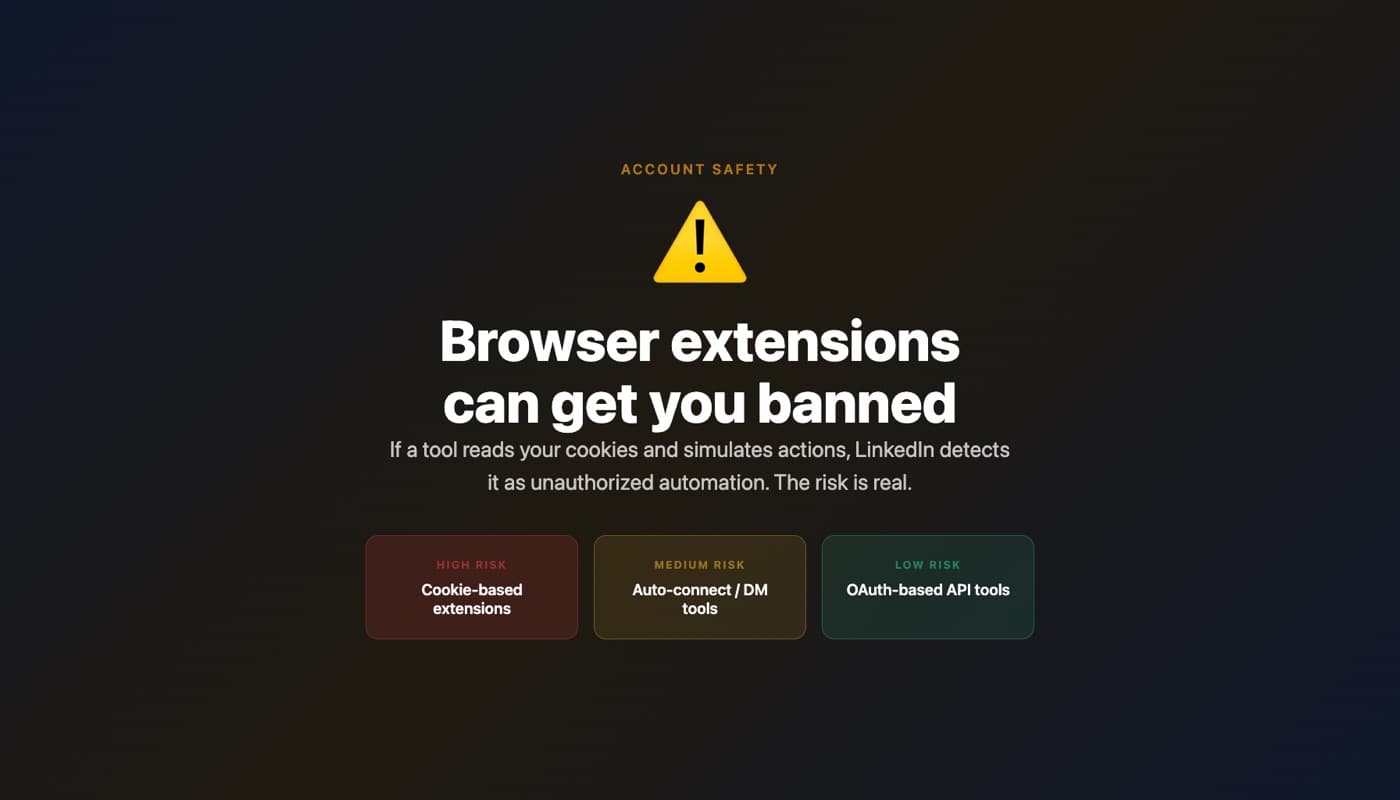
A major LinkedIn extension shut down its browser extension - what happened
Recently, a well-known LinkedIn content helper announced it was shutting down its browser extension.
That matters because it confirms what many users already suspected: browser-level access to LinkedIn is fragile, risky, and hard to defend long term.
When a tool depends on a browser extension, it is often relying on access that LinkedIn never intended third-party software to have. The extension sits inside your browser, sees your LinkedIn session, and can use that session to interact with the platform.
That is not the same thing as a normal SaaS product with official authorization. It is much closer to borrowing your identity inside the browser.
If a major player backed away from that model, professionals should pay attention.
Why browser extensions are risky
The core issue is not that extensions are evil. The issue is what some LinkedIn extensions need in order to work.
A risky extension often wants some combination of these permissions:
-
Read and change data on
linkedin.com -
Access cookies or session data
-
Inspect page content and profile data
-
Trigger actions from your logged-in browser session
Once an extension has that level of access, it can effectively act as you.
That is the part people underestimate. LinkedIn does not see "helpful content assistant." It sees activity coming from your authenticated account, through your active session, using your identity.
From LinkedIn's perspective, that can look indistinguishable from unauthorized automation.
And yes, this is where Terms of Service enters the picture. If a tool bypasses official APIs and instead uses your live browser session to scrape, click, post, or interact, it is putting your account on the line, not its own.
The vendor may get growth. You carry the downside.
What LinkedIn actually detects and how fast
No one outside LinkedIn has the full detection playbook. Anyone who claims they do is overselling.
But you do not need internal access to understand the broad picture. Platforms like LinkedIn can detect patterns at multiple layers:
-
Session behavior
-
Repetitive interaction timing
-
Unusual action frequency
-
Browser-level signatures
-
Access methods that do not match normal user behavior
-
Tools touching parts of the site in non-human ways
The important point is this: detection does not need to be perfect to hurt you.
A platform can issue a warning, temporary restriction, forced verification, feature limitation, or permanent enforcement based on confidence thresholds. It does not need a courtroom standard of proof.
And enforcement can happen fast. Sometimes the first sign is not a friendly message. It is reduced reach, blocked actions, login challenges, or sudden limits on activity.
People often ask me, "If the tool has many users, doesn't that mean it's safe?"
No. It may just mean the tool has not been fully enforced against yet, or that enforcement is uneven, or that the vendor is willing to run the risk while users absorb the consequences.
Those are very different things.
The API alternative
This is why I believe API-first is the safe path.
An official API model means the platform has explicitly authorized a method of access. The user grants permission through the intended channel. The tool gets the data and capabilities LinkedIn actually allows.
That sharply changes the risk profile.
At 2pr.io, that is the design choice we made from the start. No browser extension. No cookie access. No profile infiltration. We use LinkedIn's officially authorized API for users who sign up with LinkedIn.
That means the tool is not sneaking through your browser session pretending to be you.
It is operating through approved rails.
What tools can and can't do with the official LinkedIn API
This is where people need honesty, not marketing.
The official API route is safer, but it is narrower.
What API-based tools can generally do well:
-
Help draft content
-
Support post creation workflows
-
Work with allowed publishing and profile-related permissions
-
Build analytics and planning around authorized data
What API-based tools generally cannot do safely or officially:
-
Automated commenting from your account
-
Mass engagement actions pretending to be manual behavior
-
Browser-session tricks that depend on being logged into LinkedIn in a tab
-
Deep scraping of pages through your personal session
If a vendor offers all the exciting stuff, ask yourself a basic question: how are they doing it?
If the answer is "extension," "cookie access," "session-based automation," or anything similarly vague, you should assume the risk sits with your profile.
The tradeoff: no automated commenting, but zero account-ban risk
This is the real tradeoff.
If you want a tool that comments automatically, clicks around as you, or behaves like a hidden operator inside your LinkedIn account, you may get more automation.
You also accept ban risk.
If you want the safest setup, you give up some categories of automation. That includes things like automated commenting that require direct profile-level session control.
I think that trade is obvious.
Your LinkedIn account is not a disposable social profile. For many professionals, it is years of reputation, network building, deal flow, hiring leverage, inbound leads, and public credibility.
That asset is worth more than a clever growth hack.
We have never experienced account bans or warnings from LinkedIn. That is not luck. It comes from choosing a model that does not require us to impersonate the user through a browser extension.
How to audit your current tools
If you use a LinkedIn helper today, audit it like a security product, not like a writing app.
Start with permissions.
Look at what the extension or app is asking for. If you see requests like these, stop and evaluate carefully:
-
"Read and change your data on linkedin.com"
-
Cookie access
-
Access to all website data
-
Permission to run on LinkedIn pages
-
Any language suggesting it can act on your behalf inside the browser
Then ask the second question: does this tool use the official LinkedIn API, or does it rely on my logged-in browser session?
That distinction matters more than the homepage copy.
A simple checklist:
-
Is there a browser extension involved?
-
Does it need your live LinkedIn tab open?
-
Does it ask for powerful browser permissions?
-
Can it do things the official API usually does not support, like automated commenting?
-
Is the vendor vague about how it works?
The more "yes" answers you get, the higher your account risk.
The irreplaceable asset: your LinkedIn account and professional reputation
I am writing this as a founder, but also as someone who spent years in venture and knows how much professional reputation compounds.
Your LinkedIn account is not just a login.
It holds your identity, your audience, your conversation history, your credibility, and often your income opportunities. If it gets restricted or banned, you do not just lose software access. You lose trust surface.
That damage is asymmetric.
The upside of a risky extension is convenience. The downside is losing control over one of the most valuable professional assets you own.
I would not make that trade, and I do not think serious operators should either.
Safety here is not about being timid. It is about understanding what is actually at stake.
FAQ
Is using a LinkedIn browser extension guaranteed to get my account banned?
No, not guaranteed. But the risk is real if the extension accesses cookies, reads LinkedIn page data, and acts through your authenticated session. The issue is not whether every extension gets caught immediately. The issue is that the model itself creates enforcement risk because the tool may be violating LinkedIn's rules while operating as you.
How can I tell if my LinkedIn tool is using cookies or session-based access?
Check the permissions and product setup. If it installs as a browser extension, runs directly on linkedin.com, asks to read and change page data, or needs you logged into LinkedIn in the browser to function, that is a strong signal it may be using session-level access. If the vendor is not explicit about using the official API, assume you need to investigate further.
Does the official LinkedIn API eliminate account-ban risk?
If a tool uses only LinkedIn's officially authorized API flow, the account-ban risk from unauthorized browser impersonation is effectively removed. That does not mean you can do literally anything. It means the software is operating within approved access boundaries rather than sneaking through your live session.
Why can't safe LinkedIn tools offer automated commenting?
Because automated commenting usually requires direct control of your active account in ways the official API does not support. That is exactly why such features are a red flag. If a product can comment as you automatically, the first question should be how it got that power.
Is the safer option less powerful?
It is less powerful in one narrow sense: you lose unsafe automation tricks. But for serious professionals, that is the right trade. A tool that helps you create strong content without touching your cookies or impersonating your session is the better long-term setup. Power is useless if it puts your account and reputation at risk.
More LinkedIn guides
How to Find Your LinkedIn Content Pillars
Jumping between too many topics is the most common LinkedIn mistake. Here is how to find the 3-4 content pillars that resonate with you and your audience.
June 23, 2026The LinkedIn attention hierarchy: why 99% of B2B content gets ignored
If your LinkedIn content gets no engagement, the answer is usually simple: your post sits too low in the attention hierarchy. Most B2B posts live at level...
September 18, 2026LinkedIn's Network tab: what the feed split means
LinkedIn split the feed into For You and Network tabs. Here is what the change does, why it happened, and what it means for creators.
Grow on LinkedIn with 2pr
Ideas, AI drafts in your voice, carousels, scheduling, and analytics: one tool. Start your free trial.
Start free trial